15 sec No audio track
Red hoodie goal sequence
A scorer in a red hoodie and dark shorts lifts the ball past a diving goalkeeper, controls it, moves beyond a sliding challenge and finishes toward the goal.
Watch this referenceThe keeper rushes out. Chip, evade, and score your signature goal.
Ozil AI turns one person’s photo into a new football clip inspired by the keeper chip and finish. Choose a prepared action, add optional direction, and generate a 6–30 second video in portrait or landscape. Review the face, outfit and ball movement before sharing.
One-person photo · Prepared football prompts · Credit cost shown upfront
Supplied reference footage, not verified outputs from this generator.
01 / MAKE YOUR MOVE
Start with one person’s photo and a prepared football prompt.
Check the settings and credit cost before you submit.
One person only, with face and outfit visible. JPG, PNG or WebP · up to 8 MB.
New AI footage inspired by a football move. Exact choreography, face matching and a complete goal are not guaranteed.
THE REFERENCE REEL
Five supplied clips show the scorer, clothing and football action. Play them here, or open a clip on its own watch page.
Reference footage supplied for this project. These clips are not verified outputs from the generator on this site.
A scorer in a red hoodie and dark shorts lifts the ball past a diving goalkeeper, controls it, moves beyond a sliding challenge and finishes toward the goal.
Watch this referenceA scorer in a pale blue button-up shirt and dark shorts runs past the goalkeeper, cushions the ball and carries it clear of a green-shirted defender before shooting.
Watch this referenceA scorer in an orange shirt and black shorts chips the diving goalkeeper, controls the dropping ball and moves past a green-shirted sliding defender in a floodlit stadium.
Watch this referenceA scorer in an orange number 96 jersey and blue shorts controls the ball past a diving goalkeeper, evades a sliding defender and shoots toward the goal. This supplied reference includes audio.
Watch this referenceA shorter supplied AI football reference shows a young scorer in a denim jacket, light dress and pink shoes moving with the ball as an opponent slides past. The clip includes audio.
Watch this referenceThe source clips show the direction. Your generated face, ball movement and camera timing can vary.
Create a clip with your photo ↑THE GOAL BEHIND THE EDIT
The name refers to Mesut Özil’s late winner for Arsenal against Ludogorets on November 1, 2016. Arsenal won 3–2. The AI format borrows the idea of a scorer getting beyond the goalkeeper and defenders before finishing.
Read UEFA’s match report ↗In an Ozil AI edit, a different person becomes the scorer. The supplied clips above show variations in clothing, ball control and the finish. They are AI reference footage, not original match recordings or verified outputs from this generator.
Watch the reference videos ↗Upload one person’s photo and choose a football action. Ozil AI prepares a timed prompt and generates new footage; it does not replace a player inside the original broadcast. Camera movement, likeness and the completed sequence can vary.
Create with your own photo ↗02 / FROM PHOTO TO PITCH
Upload one clear photo. Keep the face visible and include the outfit you want the scorer to wear. Use a photo you have permission to animate.
Choose a prepared action: the full move, first touch, keeper chip or celebration. The timed prompt is handled automatically; add creative direction if needed. Select duration, format and resolution.
Sign in, confirm the credit cost and submit. Preview the result and check the face, feet and ball before downloading or sharing it.
03 / CHOOSE THE MOMENT
Four directions for your photo.
Choose one to load its prompt into the generator.
ONE CONTROLLED ACTION
Receive the ball, settle it and move forward. A focused direction if you want to start with a single piece of play.
Direct the touch, not the whole match.THE SIGNATURE MOMENT
A rushing goalkeeper, a lifted ball, a scorer running on. Focus the prompt on this moment before asking for the full goal.
Give the ball flight room in the shot.A MORE AMBITIOUS SEQUENCE
Ask for the chip, an evaded defender and a finish. More actions give the model more to coordinate; the familiar sequence may come back differently.
Plan to review the timing and ball contact.A DIFFERENT ENDING
Turn away from goal, run and raise your arms. Choose this if the reaction matters more to your idea than the dribble.
Keep the face and outfit in the direction.These choices load a prepared action direction. Selecting a scene does not start a paid generation. The supplied reference clip is viewable in the studio.
04 / PICK THE PHOTO
You do not need to be on a football pitch already. Your photo supplies the person; the prompt describes the scene.
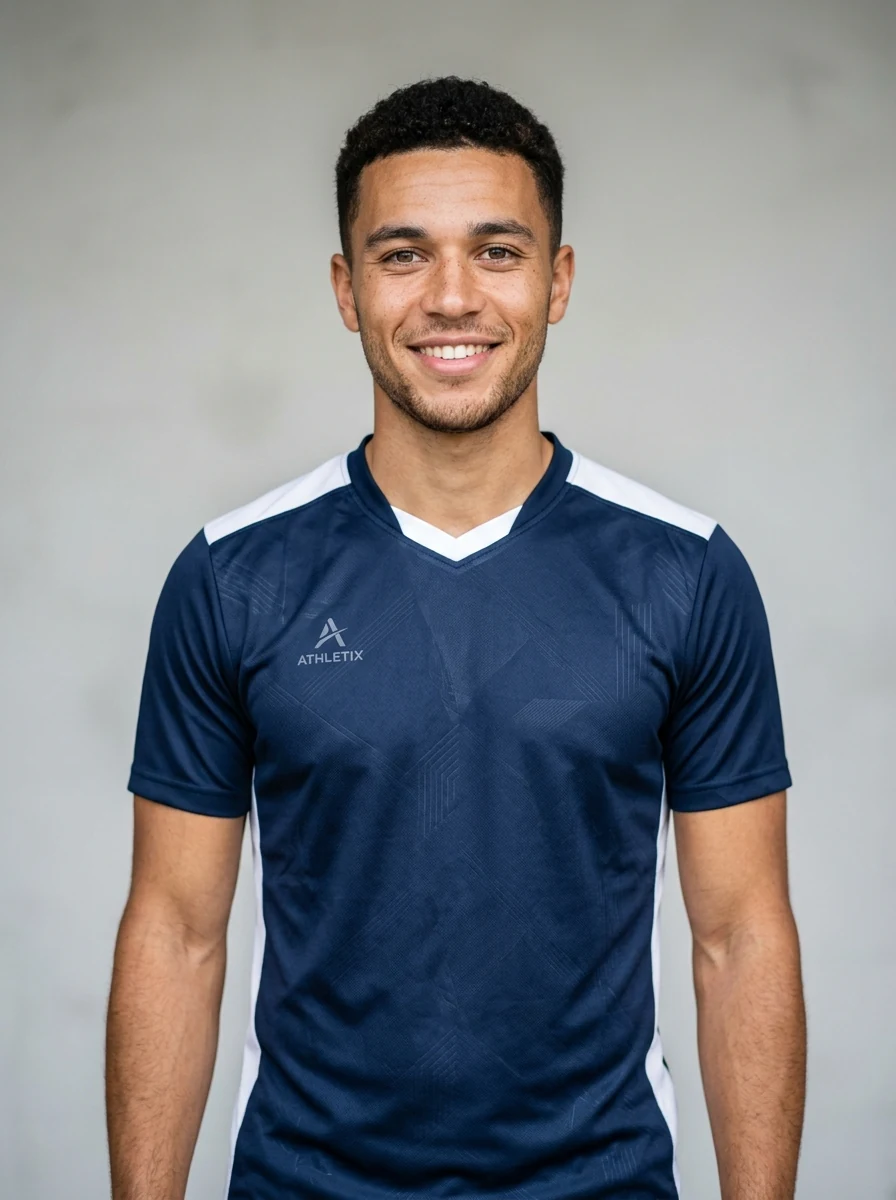 IDEAL
IDEAL
LOOK FOR
 AVOID
AVOID
RECONSIDER
Only have a selfie? You can try it, but it provides little information about the body and clothes. Add an outfit description; expect the model to invent what the image does not show.
File check: JPG, PNG or WebP · up to 8 MB. A clear source is more useful than increasing a blurry image's file size.
05 / BEFORE YOU SPEND
Duration and resolution change the credit cost. These examples use the current Grok image-to-video settings. Check the final cost in the generator before you submit.
At 20 credits per 6-second 720p attempt, that covers 7 attempts with 10 credits left. Attempts are not a promise of seven usable clips.
| Duration | 480p | 720p |
|---|---|---|
| 6 seconds | 10 credits | 20 credits |
| 10 seconds | 26 credits | 36 credits |
| 15 seconds | 46 credits | 56 credits |
Check the generator's displayed cost before submitting. Changing the prompt and generating again uses credits for a new attempt. An account's welcome balance may not cover the selected settings.
06 / KNOW WHAT YOU ARE MAKING
The Ozil AI trend puts a different scorer into a familiar idea: beat the rushing keeper, evade a challenge and finish. How a tool makes that edit matters to what you can expect.
THIS GENERATOR
You choose a scorer and a prepared football action. Add optional direction about visible clothing, the camera or the moment. The model creates new footage, so the pitch, timing and movement can vary between attempts.
Read the prepared football prompts ↗IF YOU NEED SHOT-FOR-SHOT TIMING
A prompt alone does not supply an original clip's motion track or camera path. If identical timing is essential, verify that a tool actually accepts and follows a reference video. This generator does not promise that match.
This is an independent creative tool, not an official Mesut Özil product or a source of original match footage.
07 / REVIEW BEFORE RETRYING
Before spending credits on another attempt, identify the part that failed. These are adjustments to try, not tested guarantees of a better result.
Check a task in My Videos ↗Try next: Try a sharper reference with an unobstructed face. Keep the person closer to the camera in the prompt and remove rapid spins or extreme wide shots.
Review: Check the face at the beginning, middle and end, not just the thumbnail.
Try next: Ask for one ball and one action, such as receiving a pass. Remove the defender, celebration and camera cuts from the next attempt.
Review: Watch the point of contact and follow the ball through the whole clip.
Try next: State the key visible clothing in the prompt: for example, a navy jacket and light jeans. Ask for the same everyday outfit throughout.
Review: Look for changes in colour, sleeves, footwear and logos.
Try next: Prioritize the moment you need. For a short video, ask for the chip alone. If you choose a longer duration, check the higher cost before submitting.
Review: A longer clip offers time; it does not guarantee a completed sequence.
Try next: Check My Videos for the task status before submitting again. If the task fails or your balance looks wrong, contact support with its generation ID.
Review: A confirmed technical failure differs from a completed clip whose motion you dislike.
08 / READY TO SHARE
A short check before your clip leaves the studio.
Review the face, clothing, feet and ball, then download the version you want to keep. Use 9:16 if you want a vertical composition; check the crop in your publishing app.
Finished previews and downloads include the supplied reference soundtrack. Listen before posting and confirm that your intended use is permitted. Longer clips repeat the reference track.
Use the platform's AI disclosure for realistic synthetic video. Do not present the clip as a real match or imply a footballer's endorsement.
Check the current platform guidance: TikTok AI-generated content · YouTube synthetic content disclosure.
Before uploading: photos and prompts are processed by an external AI provider. Read how your media is handled and download results you want to keep; the archive is not a permanent backup.
09 / BEFORE KICK-OFF
It is an AI football edit inspired by a scorer chipping the goalkeeper, moving past defenders and finishing at the goal. People use their own photo to put a different person in a similar scene. It is synthetic video, not a recording of a real match.
Yes, the tool accepts one photo only. Use a clear photo of one person with their face and outfit visible. Choose a football moment; the timed action and camera instructions are prepared automatically. Additional creative direction is optional.
An exact recreation is not guaranteed. This tool generates new footage from a photo and a text prompt. The ball, timing, face and movement can change between attempts. For a short clip, ask for one action such as the chip over the keeper.
You can explore the tool and edit prompts without paying. Video generation uses account credits. Sign in to see your balance, and check the displayed credit cost before you generate. Buying credits does not guarantee a specific likeness or sequence.
Choose 6–30 seconds, Mobile (9:16) or Desktop (16:9), and 480p or 720p. The default is 15 seconds at 720p. The generator updates the credit cost as you change settings. Longer clips leave more room for action but can also introduce more visual drift.
Finished previews and MP4 downloads include the soundtrack extracted from the supplied orange-jersey reference. It repeats for clips longer than the track. The generator does not provide a separate music license.
Choose one well-lit person, with an unobstructed face and enough of the body to show the outfit. Avoid group photos, tiny faces and heavy filters. Use your own image or get permission from the person pictured.
Check My Videos before submitting another task. A second submission can start another paid attempt. If a task fails or its credit balance looks wrong, contact support with the generation ID.
Photos and prompts are processed by an external AI provider to generate the clip. Account and generation records support your history and credit balance. Read the privacy policy before uploading and download results you want to keep; the archive is not a permanent backup.
No. Ozil AI is an independent creative tool. It is not affiliated with Mesut Özil, a football club, a league or a broadcaster. Label published clips as AI-generated where required by the platform.
YOUR TURN ON THE BALL
Use your own photo. Review the credit cost. Keep the result you like.
 Ozil AI
 Sign in to create football clips, check your credits and find your saved videos.
Enter your email to receive a 6-digit verification code.